

Turn a book idea into KDP-ready files, in one desktop app
Plan the outline, draft chapters in your voice, design the cover, check originality and export PDF, EPUB and Word sized for Amazon KDP. Your files stay on your computer.
• Outline• Manuscript• Cover• Formatting• KDP-ready export
- Free plan, no card needed
- One-time payment, no subscription needed
- 30-day refund policy
- Instant download for Mac and Windows
Animated overview. A screen recording of the app itself follows once the multi-language interface is final.

Professionally designed covers
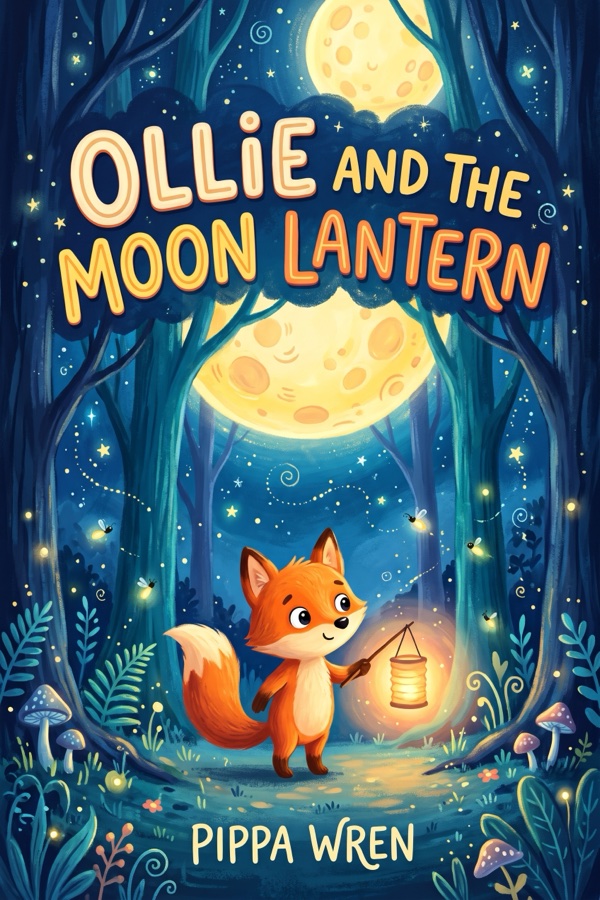
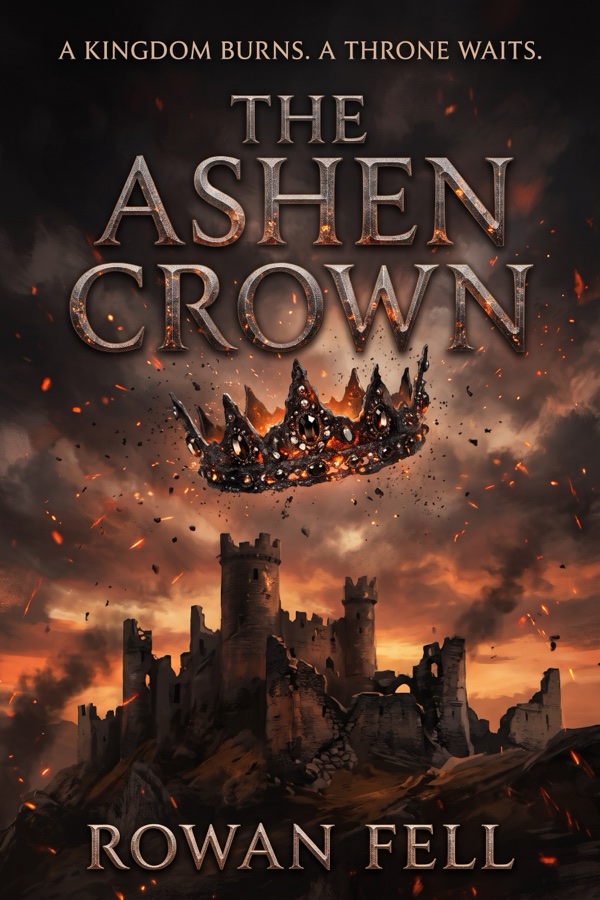
Example covers across ten genres, with placeholder titles and authors. They are illustrative and not real published books. The cover designer in the app can build front and back covers, and use your own AI image provider for artwork.








Writing is only part of publishing
Between the blank page and the upload form sit research, outlining, editing, typesetting, cover design, file preparation and compliance. Most people run out of steam before they upload.
BookHelix puts every step in one place so you spend your effort on the ideas, not on juggling tools.
- A chatbot for drafts
- A separate formatting program
- A cover design tool
- A keyword research service
- Spreadsheets for royalty math
BookHelix covers all five in one app. Illustrative, not a price comparison.
One pipeline, five steps
Keywords, categories and competing titles from live Amazon data.
Outline to chapters, with the whole book in context so chapters stay consistent.
Front and back covers, diagrams and images from your own AI provider.
Print PDF sized for your trim, EPUB and Word with true right-to-left support.
Show your book the way readers see it
Mockups in the styles the app offers: shelf, pair, ebook on a tablet and single hero shot, built from the sample covers above.
Cover titles and authors are placeholders. Mockups are illustrative.

18 book languages, true right-to-left
Hebrew, Arabic and Persian get real right-to-left layout in the editor, in print PDF and in Word export.
The app interface itself is available in English, Hebrew, Arabic, Spanish, French, German, Portuguese and Russian, with a language switcher in the top bar.
Languages: Hebrew, English, Arabic, Spanish, French, German, Italian, Portuguese, Russian, Dutch, Polish, Turkish, Hindi, Japanese, Chinese, Korean, Persian and Lithuanian.
One book, every format
Print PDF sized for your trim, EPUB for Kindle and Apple Books, Word with real RTL, plus Markdown and HTML.


Bring any AI provider
Connect Anthropic, OpenAI, Gemini, Groq or a local Ollama model. You pay your provider directly, and you can switch any time.
Your files stay with you
Books are stored as plain files on your computer. We do not upload your manuscripts. The app only contacts our server to check your license.

How it works
- Describe the book. Give a topic, genre and language. The app drafts an outline you can edit.
- Write and refine. Generate, expand, rewrite or translate chapters. Check grammar, tone and originality.
- Design and export. Build the cover, run the KDP readiness check, export the files and upload them yourself.
You review and publish the book yourself. Amazon decides what gets approved. See our note on KDP's AI disclosure rules.
People with something to say
Coaches, clinicians, consultants and teachers turning what they know into a book.
One guided path instead of five tools and a dozen tutorials.
18 languages, including Hebrew and Arabic right-to-left layout.
What is in the app
Write in Hebrew, Arabic and 15 other languages. Word export uses real bidi markup.
Every AI tool receives the title, table of contents and current chapter.
Bring a Word manuscript and finish it inside the app.
Two-sided cover designer with barcode area, and 3D-style mockups.
Books are stored as plain files on your machine. No account needed to write.
Save and restore earlier versions of a book.
Choose how to start
One-time Lifetime includes all updates for version 1.x. Plus is optional and renews until you cancel.
Get the free KDP launch checklist
A one-page checklist of the files, metadata and AI-disclosure steps before you upload.
Questions
Do I need writing experience?
No, but you review everything. The app drafts and formats; the book is yours to edit and publish.
Who pays for the AI?
You do, directly to your chosen provider, with your own key. That keeps the app price low. Cost per book depends on provider and length.
Does Amazon accept AI-assisted books?
Amazon requires you to disclose AI-generated content when you publish. You are responsible for compliance and quality. Details on the support page.
What if it does not work for me?
You have 30 days to ask for a refund under our refund policy.